
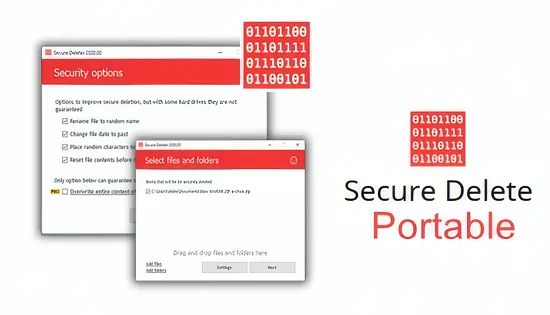
In today’s data‑driven landscape, the ability to permanently erase confidential information is a non‑negotiable requirement for both individuals and organizations. Conventional deletion merely removes directory entries, leaving raw data intact on the storage medium where it can be reconstructed with forensic tools. This utility addresses that gap by overwriting the underlying sectors with multiple passes, adhering to globally recognized sanitization standards, and guaranteeing that the erased content cannot be recovered.
Designed with a balance of simplicity and depth, the solution offers a portable, Windows‑compatible package that can be launched without installation, making it ideal for on‑the‑go security tasks. Whether preparing a laptop for resale, complying with regulatory mandates, or simply protecting personal privacy, the tool provides a reliable pathway to irreversible data destruction while maintaining a low learning curve for users of any skill level.
Why Secure Deletion Matters
Data breaches often originate from remnants of files that were thought to be deleted but remain recoverable on disks. By employing thorough overwriting techniques, the application eliminates this hidden risk, ensuring that sensitive records—such as financial statements, medical records, or proprietary code—are rendered unreadable to any recovery attempt. This level of protection is essential for meeting compliance frameworks like GDPR, HIPAA, and PCI‑DSS, where proof of proper data disposal is frequently audited.
Beyond regulatory compliance, the psychological assurance of knowing that personal photos, passwords, or confidential contracts are truly gone can be invaluable. The software’s strict adherence to recognized erasure protocols gives both IT administrators and private users confidence that once a file is removed, it is permanently inaccessible, thereby reducing the likelihood of accidental exposure or insider threats.
Supported Erasure Standards
The utility incorporates a suite of vetted algorithms, allowing users to match the intensity of the wipe to the sensitivity of the data. Each method follows a documented specification, ensuring that the overwriting process meets the expectations of auditors and security professionals alike. Users can choose a rapid single‑pass overwrite for low‑risk items or engage more exhaustive routines for highly classified material.
- DoD 5220.22‑M (E and ECE variants) – a government‑approved multi‑pass scheme.
- Gutmann 35‑pass method – designed for legacy magnetic media with thorough sector coverage.
- NIST SP 800‑88 – modern guidelines emphasizing efficiency and effectiveness.
- German BSI standard – aligns with European data‑protection regulations.
- Customizable pass count – lets advanced users define their own overwrite depth.
Each algorithm is executed with precise control over write patterns, ensuring that no residual magnetic imprint remains. The interface clearly labels the selected method, and a brief description appears to help users understand the trade‑offs between speed and security. This transparency empowers organizations to document their sanitization processes in line with internal policies and external audit requirements.
Handling Modern Storage Media
Solid‑state drives (SSDs) store data differently from traditional spinning disks, rendering conventional multi‑pass overwriting both inefficient and potentially harmful to drive longevity. The software automatically detects SSDs and switches to a TRIM‑based approach, signaling the drive’s firmware to purge the targeted blocks securely. This method respects the wear‑leveling algorithms inherent to SSDs while still achieving a level of data sanitization comparable to overwriting on HDDs.
For hybrid environments that contain both HDDs and SSDs, the tool intelligently applies the appropriate technique to each volume, eliminating the need for manual configuration. Users can also force a traditional overwrite on an SSD if required by a specific compliance rule, though the default TRIM strategy is recommended for optimal performance and hardware preservation.
Batch Operations and Auditing
Large‑scale data purging projects benefit from the ability to queue multiple files, folders, or entire partitions for simultaneous processing. The batch mode accepts drag‑and‑drop inputs as well as manual file selection, streamlining workflows for IT departments handling device decommissioning or mass‑retirement of storage assets. Progress indicators keep users informed, and the process can be paused or cancelled without risking partial overwrites.
After each operation, the utility generates a comprehensive log that records the items erased, the algorithm employed, timestamps, and optional user comments. These logs can be exported for archival purposes, providing an audit trail that satisfies internal governance and external regulatory inspections. The reporting feature is especially valuable for organizations that must demonstrate proof of secure data disposal on a regular basis.
Practical Use Cases
Enterprises often need to sanitize employee laptops, shared workstations, or backup tapes before hardware is reassigned or discarded. By integrating the tool into standard operating procedures, companies can enforce consistent data‑wiping practices across all departments, reducing the risk of accidental data leakage. Government agencies, which are bound by strict data‑destruction statutes, can also rely on the certified algorithms to meet statutory obligations.
For individual users, the application offers a straightforward way to cleanse personal computers before resale, ensuring that private photos, banking records, and other intimate files are irretrievable. Healthcare providers can employ the software to purge patient information from aging equipment, maintaining compliance with HIPAA while avoiding costly data‑breach incidents. In every scenario, the combination of ease‑of‑use, robust standards, and detailed reporting makes the solution a versatile asset for safeguarding digital privacy.