
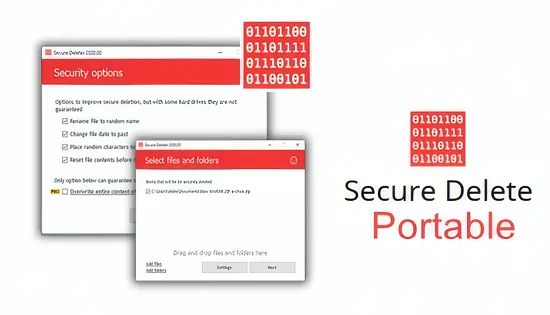
When a laptop leaves your desk or a hard drive is about to be retired, the lingering bits of personal or corporate information can become a hidden liability. Secure Delete Professional v222 tackles that problem head‑on, delivering a suite of wiping techniques that meet internationally recognised standards while staying easy enough for everyday users.
The program runs directly from a USB stick or any folder, meaning you never need to install anything on the target machine. This portable design is especially handy for technicians who must sanitize multiple workstations in a single day.
Beyond the Recycle Bin: How Data Is Truly Erased
Typical file removal merely clears the directory entry, leaving the actual bytes untouched until the operating system overwrites that space later. Secure Delete Professional v222 replaces those remnants immediately, performing multiple overwrite passes that conform to strict erasure guidelines. The result is data that forensic tools cannot resurrect.
Users can pick from several certified algorithms, including the U.S. Department of Defense DoD 5220.22‑M (both the standard and the enhanced ECE variant), the 35‑pass Gutmann routine, the NIST SP 800‑88 recommendations, and the German Industrial Standard for European compliance. Whether you need a rapid three‑pass sweep or a thorough 35‑pass cleanse, the choice sits on a single dropdown.
SSD‑Aware Wiping That Preserves Drive Longevity
Modern solid‑state drives store data differently from spinning disks, and repeated overwrites can wear them out. The software automatically detects SSDs and switches to a TRIM‑based approach, signalling the drive’s internal controller to purge the targeted blocks. This method satisfies security requirements without sacrificing the drive’s endurance.
For traditional HDDs, the classic multi‑pass overwrite is still employed, ensuring that legacy hardware receives the same level of protection.
Batch Operations and Transparent Reporting
Enterprises often need to cleanse dozens of files or entire partitions in one go. Secure Delete Professional v222 supports drag‑and‑drop batch queues, allowing you to line up numerous items before launching the wipe. While the process runs, a progress bar and status messages keep you informed.
After each session, the tool generates a concise log that records the file names, chosen algorithm, timestamps, and optional user comments. These reports are valuable for audit trails, especially when complying with regulations such as GDPR or HIPAA.
User Interface Designed for Speed and Safety
The main window presents a clean layout: a file list on the left, algorithm selector in the centre, and action buttons on the right. Contextual warnings appear before any irreversible operation, but seasoned users can disable them via the settings panel for a faster workflow.
Multilingual menus cover a broad audience, and tooltip help appears on hover, reducing the learning curve for newcomers.
Complementary Cleaning Tools
Beyond file wiping, the package bundles utilities that sweep temporary files, clear browser caches, and scrub free disk space. By erasing leftover fragments that reside in unallocated sectors, the suite ensures no ghost data remains.
- Temporary file remover for Windows and Office caches
- Browser history and cookie purger for Chrome, Firefox, Edge
- Free‑space sanitizer that overwrites unused clusters
Who Benefits Most?
IT departments tasked with decommissioning hardware, legal teams handling sensitive case files, and individual users preparing a laptop for resale all find value in the product. Its portable nature means you can launch a secure wipe from a USB stick without leaving any software residue on the cleaned machine.
For those evaluating alternatives, tools such as BitRaser, CCleaner, and Eraser offer comparable functions, but Secure Delete Professional v222 distinguishes itself with its SSD‑aware mode and extensive compliance reporting.
" , "meta_description": "Secure Delete Professional v222 offers certified data wiping, SSD‑aware erasure and batch processing for Windows, helping users meet privacy regulations.