
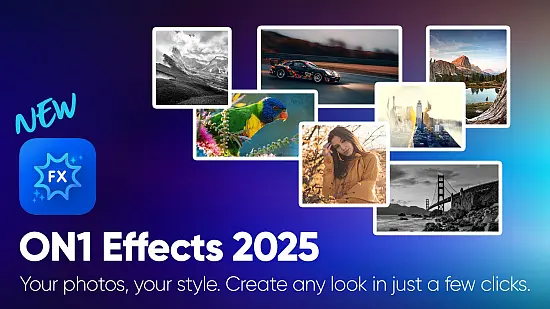
Photographers and visual creators constantly search for tools that can turn a raw capture into a compelling image without getting lost in endless menus. ON1 Effects 2026.5 v20.5.0.19062 answers that call by bundling a massive library of creative adjustments with a modern, AI‑infused engine. Whether you need a quick one‑click mood boost or a meticulously layered composition, the program offers a workflow that stays intuitive while delivering professional‑grade results.
The portable edition runs from a USB stick or any folder on your computer, meaning you can move between workstations without reinstalling. All language packs are included, so you can switch between English, Spanish, French, German, Italian, Portuguese, Russian, Japanese, Chinese and more with a single click.
Transforming photos with layered presets
At the heart of ON1 Effects lies a catalog of hundreds of ready‑made presets that span classic black‑and‑white conversions, high‑dynamic‑range boosts, film‑stock simulations, glow overlays, split‑toning palettes, texture washes and decorative borders. Each preset can be dropped onto an image instantly, then tweaked via sliders that control intensity, opacity and blend mode.
Because the application treats every adjustment as an independent layer, you can stack multiple looks and fine‑tune each one without affecting the others. This non‑destructive approach lets you experiment freely, revert changes, or export the layer stack for future revisions.
AI‑driven utilities that cut editing time
ON1 Effects 2026.5 introduces a suite of machine‑learning tools that automate traditionally labor‑intensive tasks. These utilities analyze image content and generate precise selections or fills, freeing you from manual brush work.
- Depth Masks evaluate the scene’s spatial hierarchy and produce masks that separate foreground from background, making selective blurs and lighting tweaks feel natural.
- Edit Color Filter lets you isolate a hue range and adjust its saturation, luminance or hue without touching the rest of the picture.
- Match Color Filter copies the tonal curve and color grading of a reference photo, ensuring a uniform look across a series.
- Generative Eraser removes unwanted objects with a single brushstroke, filling the gap using context‑aware content synthesis.
- Automatic Distraction Removal scans for dust spots, power lines and minor blemishes, erasing them in a single pass.
- Generative Crop expands the canvas intelligently, allowing you to change aspect ratios while preserving important subjects.
These AI features are optional, so you retain full control when you prefer a handcrafted approach.
Plug‑in flexibility across major editors
ON1 Effects can operate as a stand‑alone program or as a plug‑in for a wide range of industry‑standard editors. It integrates smoothly with Adobe Photoshop, Adobe Lightroom Classic, Capture One, Apple Photos, Affinity Photo and Corel PaintShop Pro. When launched from within these hosts, the effect stack remains editable, so you can return later and adjust any parameter without rebuilding the edit.
Because the plug‑in respects the host’s color management and RAW processing pipeline, you can insert ON1 Effects at any point in your existing workflow without breaking consistency.
Hardware demands and platform reach
The application is built for modern 64‑bit environments. Minimum specifications include an Intel or AMD quad‑core CPU running at 2 GHz or faster, 8 GB of RAM and roughly 6 GB of free disk space. ON1 Effects runs on Windows 10/11 and macOS 10.15 or later, including Apple Silicon Macs, where it leverages native ARM code for faster rendering.
Performance tests on a mid‑range laptop (Ryzen 5 5600U, 16 GB RAM, integrated graphics) show smooth real‑time previews even with multiple high‑resolution layers, confirming the 2025‑era optimizations hold up under demanding conditions.
Interface design for speed and precision
The workspace is arranged in three main panels: a preset browser on the left, a central preview window with live updates, and a stack view on the right where each layer can be reordered, masked or blended. Tooltips appear on hover, and contextual help snippets guide newcomers through the AI utilities.
All controls are exposed as sliders and numeric inputs, allowing fine‑grained adjustments. The preview updates instantly, so you can judge the impact of each change without waiting for a render.