
When a Windows machine accumulates dozens of programs, the default removal paths—Settings, Control Panel, or the Microsoft Store—often leave a trail of orphaned data. Those invisible remnants can slow boot times, occupy valuable disk space, and even cause future installations to fail. For IT professionals and power users who demand a clean environment, the need for a more thorough solution is immediate.
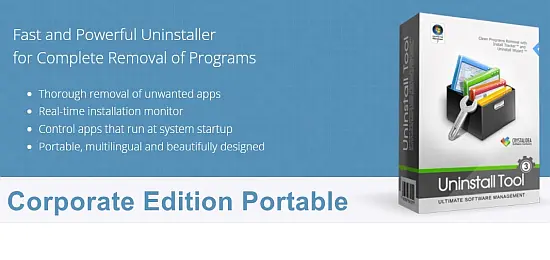
Enter Uninstall Tool 3.8.2.5761, a portable utility engineered to hunt down every trace a program leaves behind. Built around a multi‑layer scanning engine, it offers a level of depth that the native Windows tools simply cannot match.
The hidden cost of Windows' built‑in uninstallers
Standard removal routines typically delete the main executable and its shortcut, but they ignore three major categories of leftovers: registry keys that become orphaned, configuration folders hidden deep within %AppData%, and background services that continue to run after the main files vanish. Independent audits have shown that up to thirty percent of a program's footprint persists after a conventional uninstall.
- Orphaned registry entries that degrade system responsiveness.
- Hidden configuration files that consume storage without being obvious.
- Residual services that stay active, potentially creating security gaps.
How Uninstall Tool 3.8.2.5761 tackles leftovers
The utility employs a three‑pronged approach. First, its Force Removal module terminates stubborn processes and clears locked files. Second, a batch‑uninstall feature lets users select several applications at once, dramatically reducing the time spent on repetitive tasks. Third, an Install Tracker driver runs in kernel mode, recording every file and registry change made during a program's installation, so the tool knows precisely what to erase later.
Beyond pure removal, the software categorizes installed items into standard applications, system components, hidden utilities, and Microsoft Store packages. This automatic classification helps users avoid accidental deletion of critical OS pieces while still cleaning up bloatware.
Real‑time monitoring and kernel driver advantages
Uninstall Tool stands out because it captures system modifications as they happen. The kernel‑level driver watches for file creation, registry writes, and service registrations, creating a comprehensive map that ordinary uninstallers cannot see. When the user initiates a removal, the program references this map, ensuring that even the most deeply nested artifacts are purged.
Performance testing indicates that its multi‑threaded scanning engine processes residual data roughly three times faster than competing freeware, while still delivering a thorough sweep.
Streamlined workflow and UI design
The interface consolidates all controls into a single panel. A bottom toolbar toggles between categories, and the SmartSearch™ field filters applications instantly as the user types. Typical removal follows a five‑step flow: locate the program, select it (or a group), launch the removal wizard, review the residual scan, and confirm deletion. Most users report that the entire process can be completed within three clicks.
Customization options let users sort the list by installation date, size, or publisher, and the column layout can be adjusted to match personal preferences. The tool consumes less than 20 MB of RAM, making it suitable for older hardware.
Enterprise scenarios and silent operation
For corporate environments, Uninstall Tool offers several features that simplify large‑scale deployment. A command‑line interface enables silent removal, allowing IT teams to script uninstalls across dozens of machines without user interaction. The portable nature of the executable means it can be run directly from a USB stick or a network share, eliminating the need for local installation.
- Silent uninstall via command line for batch scripts.
- Custom log generation to satisfy compliance audits.
- Support for multilingual interfaces—27 languages are built in.
After a clean removal, the utility typically reclaims fifteen to twenty‑five percent of disk space and resolves lingering .dll conflicts that could otherwise trigger update errors. Its ability to disable startup entries also contributes to faster boot times, a benefit that resonates with both home users and enterprise technicians.