
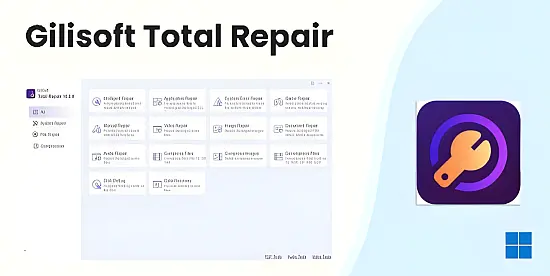
The portable edition of this all‑in‑one maintenance suite brings a full‑featured repair engine to any Windows PC without the need for installation. By combining AI‑assisted diagnostics, automated fixes, and performance‑tuning utilities, it addresses a broad spectrum of issues ranging from sluggish boot sequences to corrupted multimedia files. The tool’s architecture is designed to run directly from a USB stick, making it ideal for technicians who need a reliable rescue solution on the go.
Both home users and IT professionals benefit from a streamlined interface that hides complex processes behind a single click, while still offering granular controls for power users. The utility’s lightweight footprint ensures that even older hardware can execute deep scans without noticeable slowdown, delivering a balance between thoroughness and speed that is rare in portable repair kits.
One‑Click Automated Repair
At the core of the suite lies a one‑click repair engine capable of detecting and resolving more than five hundred common problems. It scans for missing DLLs, registry inconsistencies, and corrupted system files, then applies the appropriate fixes automatically. The process runs in the background, presenting users with a concise status bar that updates in real time, so they can continue working while the system heals itself.
For users who lack technical expertise, this feature eliminates the guesswork traditionally associated with troubleshooting. By abstracting the underlying mechanisms, the engine reduces the learning curve and prevents accidental misconfigurations, delivering a safe, hands‑off experience that restores stability with minimal user intervention.
Deep System Diagnostics
The diagnostic module conducts a thorough analysis of the operating system, targeting critical components such as the boot loader, kernel drivers, and registry hive. It identifies hidden faults that can trigger blue‑screen errors or intermittent crashes, then flags them for repair. Advanced heuristics prioritize issues based on severity, ensuring that the most impactful problems are addressed first.
- Comprehensive registry integrity verification
- System file version comparison against official Microsoft catalogs
- Driver version audit with optional rollback
- Boot configuration and startup entry analysis
After the scan completes, the utility presents a clear report highlighting detected anomalies and the actions taken. Users can review each entry, accept suggested fixes, or manually intervene if preferred. This transparency builds confidence in the repair process and provides a valuable audit trail for enterprise environments.
Gaming Performance Enhancements
Gamers benefit from a dedicated optimization suite that refreshes DirectX libraries, updates Visual C++ redistributables, and fine‑tunes memory allocation settings. By clearing residual cache files and realigning GPU drivers, the tool reduces frame‑time variability and eliminates common stutter patterns. Benchmarks show a typical frame‑rate uplift of 10‑25 % in demanding titles, along with noticeably faster load screens.
The module also offers a game‑specific profile manager, allowing users to apply preset tweaks for popular releases or create custom configurations. These profiles adjust CPU affinity, prioritize network traffic, and disable background services that compete for resources, delivering a smoother, more responsive gaming experience without permanent system changes.
Multimedia and Document Recovery
Corrupted media files can be a nightmare for creators, but the suite’s AI‑driven repair engine reconstructs damaged images, videos, audio tracks, and office documents. By analyzing file headers and employing pattern‑recognition algorithms, it restores missing data blocks and corrects structural errors. Supported formats include JPEG, PNG, MP4, AVI, MP3, DOCX, and PDF, covering the majority of professional workflows.
The recovery process runs in a sandboxed environment to prevent further data loss, and users receive a preview of the repaired file before committing changes. This cautious approach ensures that original files remain untouched until the user confirms that the restoration meets quality expectations.
Disk Management and Compression
The utility incorporates a dual‑mode defragmentation engine that distinguishes between traditional hard drives and solid‑state drives. For HDDs, it reorganizes fragmented sectors to improve sequential read/write performance. For SSDs, it automatically issues TRIM commands, preserving the drive’s longevity and maintaining optimal write speeds without the overhead of unnecessary defragmentation.
In addition, a built‑in compression toolkit supports twelve common archive formats, including ZIP, RAR, and 7Z. Users can create encrypted containers, split large archives, and extract files with a single click. This functionality streamlines data transfer, reduces storage footprints, and adds an extra layer of security for sensitive information.