
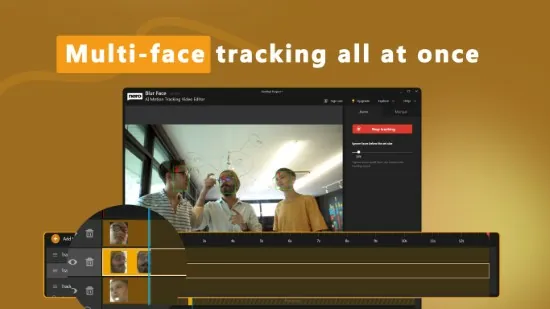
Nero Blur Face is a cutting-edge video editing application that utilizes artificial intelligence to protect privacy and anonymize content. This innovative tool enables users to automatically detect and obscure sensitive elements in videos, such as human faces, license plates, and logos, with remarkable precision and ease.
The software is ideal for content creators, journalists, security professionals, and everyday users who share footage on social media. Nero Blur Face ensures that personal information remains hidden while preserving the overall video quality, supporting formats up to 4K resolution and exporting in high-efficiency codecs for seamless sharing across platforms.
Advanced AI Motion Tracking Technology
The foundation of Nero Blur Face is its advanced AI-driven motion tracking engine, which employs deep learning algorithms to identify and follow moving objects frame-by-frame across entire videos. This technology extends beyond faces, allowing users to manually detect and track license plates, brand logos, and sensitive paperwork.
The AI predicts trajectories using optical flow analysis combined with temporal consistency checks, adapting to scale changes, rotations, and partial blockages by nearby objects. Lost trackers can be manually reattached, with the AI seamlessly interpolating the gap.
Blurring and Mosaic Effects
Nero Blur Face offers a versatile suite of obfuscation effects, each customizable for intensity, feather edges, and opacity. These effects include Gaussian Blur, Pixel Mosaic, Motion Blur, and Selective Mosaic, among others. The software also allows users to apply custom masks, such as gradient blurs or vignette circles.
Effects apply non-destructively, with multiple layers stacking per tracker. Feather controls blend seamlessly into backgrounds, avoiding harsh edges that scream “edited.” Real-time GPU-accelerated previews play at full speed, split-screen comparing original vs. blurred for instant validation.
Manual and Hybrid Tracking Workflows
For precision control, manual mode empowers professionals to place initial trackers, set duration limits, or chain segments across cuts. Hybrid auto-manual workflow starts with AI detection, refined by user nudges—ideal for low-contrast scenes or artistic license. Text tracking isolates on-screen documents or subtitles via OCR integration, blurring classified info while leaving video narration intact.
The software also features object-agnostic mode, which uses SIFT/ORB features for generic shapes, tracking QR codes or product serials effortlessly. Users can drag-to-merge duplicate detections on the same subject crossing frames, ensuring accurate tracking.
Video Editing and Trimming Integration
Nero Blur Face isn’t just a tracker—it’s a lightweight editor with timeline scrubbing, clip trimming, speed adjustments, and multi-clip sequences. Cut videos pre/post-tracking: trim intros/outros, split for batch effects, or concatenate scenes. Audio remains untouched or duckable under effects whooshes.
Basic color correction polishes footage without bloating the app. Export previews simulate final output, with aspect ratio crops for social media. The software supports resolutions up to 8K passthrough, with bitrate controls and hardware encoding.
Batch Processing and Automation
Batch mode queues unlimited videos, processing in parallel across CPU/GPU cores for efficiency. Watch folders auto-import new files, applying saved presets like “Privacy Party Mode” (all faces + plates). Presets save tracker templates, effect stacks, and thresholds for repeatable workflows.
Some key features of Nero Blur Face include:
- Support for multiple video formats, including H.264/MP4 and HEVC
- Customizable obfuscation effects, such as Gaussian Blur and Pixel Mosaic
- Manual and hybrid tracking workflows for precision control
- Integration with video editing and trimming tools
- Batch processing and automation for efficient workflow