
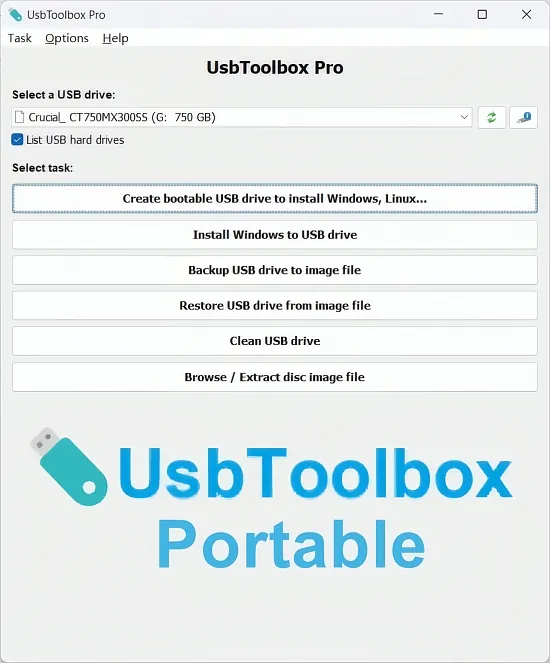
Portable USBToolbox Pro 1.2 for Windows is a comprehensive utility designed to manage and optimize USB drives. This powerful tool offers a wide range of features, including bootable media creation, Windows To Go deployment, forensic-grade backups, secure data wiping, and performance benchmarking. With its intuitive interface and robust functionality, Portable USBToolbox Pro 1.2 is an essential tool for IT professionals, system administrators, and power users.
The software supports every USB standard, including USB 1.1, 2.0, 3.2 Gen 1 and Gen 2, and USB4 40Gbps, and can handle drives up to 64TB in size. It also features bit-level verification, multi-pass DoD erasures, and NTFS, exFAT, FAT32, and ext4 formatting options. Additionally, the tool includes a one-click ISO extraction feature for Windows 11 ARM, Linux distros, and custom payloads, making it an ideal solution for deploying field-ready OS installers, portable workstations, data recovery labs, and secure evidence lockers.
Bootable Media Creation
The bootable media creation feature in Portable USBToolbox Pro 1.2 allows users to transform any flash drive or external SSD into a UEFI/Legacy BIOS-compatible launcher. The process is straightforward, involving the selection of an ISO file, choosing the target USB device, and configuring the partition scheme.
The tool also includes features such as persistence sliders, GRUB/EFI bootloader injection, and post-burn verification, ensuring that the bootable media is created with precision and accuracy. Furthermore, the Pro edition of the software unlocks additional features, including multi-ISO support, custom bootloaders, and ARM64 optimization.
Windows To Go Deployment
The Windows To Go deployment feature in Portable USBToolbox Pro 1.2 enables users to install full Windows environments directly to USB drives, bypassing the need for VHD files. The process involves analyzing the source ISO or WIM file, resizing the host partitions dynamically, and deploying the Windows environment via DISM injection.
The tool also includes features such as BitLocker AES-256 encryption, boot-testing in QEMU emulator, and portable workstation mode, which configures auto-login, power profiles, and registry tweaks. Additionally, the software supports sysprep integration, driver packs, and app layering, making it an ideal solution for mass deployments.
Backup and Imaging
The backup and imaging feature in Portable USBToolbox Pro 1.2 allows users to clone entire drives or intelligent used sectors only to compressed IMG or RAW files. The tool also includes features such as incremental deltas, LZ4/Zstandard compression, and split volumes.
The software also includes a browse/extract feature, which mounts images as virtual drives without writing, and a restore feature, which reverses the backup process with partition resizing and alignment optimization. Additionally, the tool includes a forensic precision feature, which preserves slack space and timestamps for e-discovery, and supports differential backups and scheduling.
Secure Erase and Recovery
The secure erase feature in Portable USBToolbox Pro 1.2 allows users to obliterate content with 1-35 pass algorithms, including quick, normal, thorough, and custom PRNG options. The tool also includes a data recovery feature, which resuscitates raw drives by resetting controller firmware, rebuilding partition tables, and scanning lost clusters.
The software also includes a partition manager feature, which allows users to resize, merge, or split volumes non-destructively, and a format wizard feature, which supports exFAT, ext4, and APFS read-only formats. Additionally, the tool includes a
- quick format option
- full format option
- secure erase option
- partition recovery option
Diagnostics and Performance
The diagnostics and performance feature in Portable USBToolbox Pro 1.2 allows users to reveal deep specs, including controller chip, NAND type, and fake capacity detection. The tool also includes a USB analyzer feature, which benchmarks read and write speeds, and a temperature monitoring feature, which alerts users to high temperatures.
The software also includes a speed tuner feature, which optimizes UASP/SCSI translation, enables TRIM for SSDs, and tweaks queue depths. Additionally, the tool includes a batch mode feature, which processes multiple drives sequentially via CLI, making it an ideal solution for large-scale deployments and management tasks.