
In today’s entertainment landscape, streaming platforms dominate how audiences consume movies and series, yet reliable offline access remains a challenge for many users. Whether traveling, facing bandwidth limits, or simply preferring to watch without interruptions, the ability to store high‑quality video files locally is increasingly valuable.
Pazu StreamGet v3.0.0 addresses this demand by consolidating video retrieval, format conversion, and media management into a single portable utility. Designed for Windows, the application supports a broad spectrum of services and offers granular control over audio, subtitles, and download performance, making it a practical companion for both casual viewers and power users.
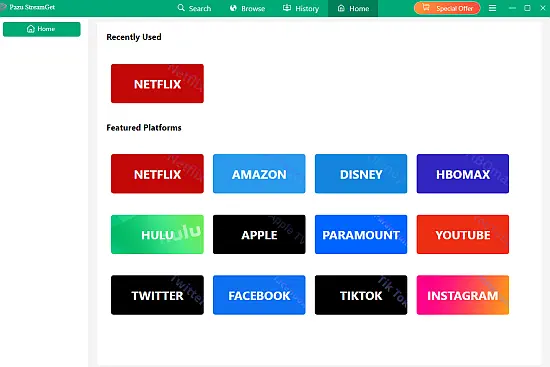
A built‑in web browser eliminates the need to switch between external tabs or applications. Within the same window, users can navigate to their chosen streaming site, search for content, and initiate downloads with a single click, streamlining the workflow considerably.
The interface follows a clean, column‑based layout that highlights key actions while supporting multiple languages. Navigation elements are labeled clearly, and the search bar accepts both direct URLs and keyword queries, catering to users of varying technical proficiency.
Pazu StreamGet employs multi‑threaded downloading, partitioning each video into several segments that are retrieved concurrently. This architecture can boost transfer rates up to eight times faster than conventional single‑threaded methods, reducing wait times for large libraries.
The application supports output resolutions from 720p up to full 1080p, and offers both H.264 and the more efficient H.265 codecs. Users may also choose container formats such as MP4 or MKV, ensuring compatibility with a wide range of playback devices and media players.
Audio and Subtitle Management
When extracting media, the program mirrors the original language tracks and subtitle options available on the source platform. This flexibility enables viewers to retain original dubbing, commentary, or descriptive audio alongside any subtitle set they prefer.
- Select any available audio track for preservation.
- Choose soft, hard, or external subtitle formats.
- Maintain all original language subtitles simultaneously.
- Add multiple subtitle languages to a single file.
- Keep audio description and surround‑sound channels intact.
Such granular control is especially useful for multilingual households or for learners seeking to compare translations. By embedding the chosen tracks directly into the file, the need for separate language packs or third‑party subtitle files is eliminated.
Offline Playback Flexibility
Once downloaded, videos are stored locally and can be transferred to smartphones, tablets, smart TVs, or any device that supports the selected container format. The files are independent of the original streaming application, granting unrestricted playback across platforms.
Because the media resides on the user’s hardware, it never expires even if the subscription lapses or the service removes the title. The downloader also works with ad‑supported accounts, ensuring that content can be saved without requiring a premium tier.