
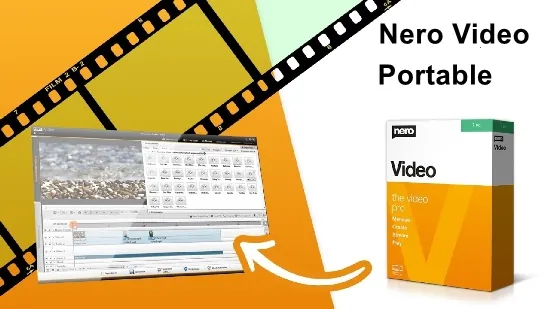
If you are looking for a video editor that balances professional depth with a portable footprint, the 2026 release of Nero Video offers a compelling mix. Built on the same engine that powers the full‑blown Nero Platinum Suite, this version runs from a USB stick or any external drive, letting you edit wherever the creative spark strikes.
The software targets a broad audience – from hobbyists who want to stitch together family memories, to seasoned freelancers delivering client‑grade productions. Regardless of skill level, the program supplies a timeline‑centric workspace, AI‑enhanced helpers, and a library of effects that scale up to 4K and beyond.
A Fresh Take on Video Editing Workflow
When the application launches, you are greeted by a clean start screen that invites you to begin a new project or open an existing one. Selecting a template instantly creates a pre‑configured timeline, media bins, and a set of default transitions, cutting the initial setup time dramatically.
The central editing area features a resizable preview monitor, a multi‑track timeline that can host unlimited video, audio, image, and title layers, and context‑sensitive toolbars that appear only when needed. Drag‑and‑drop import works with files from cameras, smartphones, external SSDs, or cloud drives, automatically sorting clips into user‑named bins for quick retrieval.
Powerful Editing Tools for Creators
Nero Video equips you with a suite of precision editing functions. Ripple trims, slip and roll edits, and synchronized multi‑clip trimming let you shape footage without leaving gaps. Keyframe animation is available for position, scale, rotation, and opacity, making it easy to create motion graphics without external plugins.
- Over 100 transition effects, including 3‑D flips and customizable wipes
- Speed‑ramp engine that produces smooth slow‑motion or time‑lapse sequences
- Audio waveform editor with volume keyframes, noise‑reduction, and beat‑detect sync
- AI‑driven stabilization that smooths handheld footage in a single click
- Chroma‑key compositing for greenscreen work and picture‑in‑picture layouts
The real‑time preview runs at full resolution on capable hardware, while a proxy workflow automatically generates lower‑resolution proxies for older machines, ensuring a fluid editing experience across a range of PCs.
Advanced Color Grading and Stabilization Suite
Color workflows in the portable edition have been upgraded to include waveform, vectorscope, and parade displays, giving you the same diagnostic tools found in high‑end post‑production suites. Primary and secondary color wheels, as well as LUT import, let you craft a cinematic look or match footage shot under different lighting conditions.
HDR support now extends to 10‑bit and 12‑bit sources, with tone‑mapping algorithms that convert high‑dynamic‑range material to SDR displays without losing highlight detail. The built‑in motion‑tracking module can lock graphics or text to moving objects, which is handy for on‑screen annotations or stabilizing jittery shots.
Export Options and Disc Authoring
When the edit is complete, Nero Video offers a wide array of output presets ranging from 4K Ultra HD to standard‑definition DVD. You can export an entire project, a single chapter, or a batch of selected clips in one operation. The encoder respects the source’s bitrate and color depth, preserving visual fidelity.
Beyond file exports, the program includes integrated disc‑authoring tools. Pre‑made DVD‑Video™ and Blu‑ray™ menu templates can be customized, and the companion Nero CoverDesigner lets you design cover art that matches your branding. Finished discs play with full chapter navigation on most home entertainment players.
Tips for Getting the Most Out of the Portable Edition
To keep the portable app snappy, store large source files on a fast external SSD rather than a USB‑2.0 flash drive. Take advantage of the built‑in Nero MediaHome library to tag clips with dates, locations, or people; this metadata travels with the files and speeds up future searches.
If you need to stream a finished video to a TV or mobile device, the free Nero Streaming Player app works over Wi‑Fi, allowing you to push content from the editor to any screen without burning a disc. The same app can also pull media from cloud services, meaning you never have to duplicate large files on the host PC.