
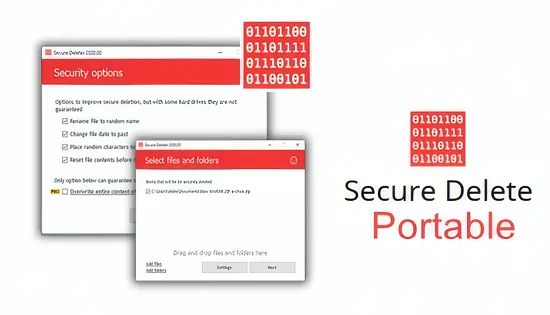
When a laptop changes hands or a hard drive reaches the end of its life, lingering fragments of personal or corporate data can become a serious liability. Secure Delete Professional v222 tackles that risk by overwriting information in a way that makes recovery impossible, even for seasoned forensic tools. Designed for both casual users who need a quick clean‑up and for enterprises bound by strict compliance rules, the utility blends powerful erasure algorithms with a lightweight, drag‑and‑drop workflow.
Unlike a simple delete action that merely removes directory entries, this program physically replaces the original bits with new patterns, ensuring that the former content vanishes from the magnetic surface or flash memory. The result is a trustworthy method to protect privacy, meet regulatory mandates, and prepare devices for resale or disposal.
Advanced Erasure Standards at Your Fingertips
Secure Delete Professional v222 bundles a collection of internationally recognised overwriting schemes. Users can select from the DoD 5220.22‑M routine (both the basic three‑pass and the extended ECE version), the exhaustive 35‑pass Gutmann pattern, and the modern NIST SP 800‑88 guidelines that focus on efficient sanitisation for contemporary storage. Each method follows the exact pass count and data patterns defined by its originating authority, granting confidence that the wipe complies with legal and industry expectations.
The inclusion of the German Industrial Standard adds a European‑focused option, making the tool appealing to organisations that must obey GDPR‑related data‑destruction clauses. Whether you need a rapid three‑pass pass for non‑critical files or a meticulous 35‑pass cycle for highly classified material, the software adapts without requiring additional plugins.
Tailored Handling for SSDs and Modern Media
Solid‑state drives behave differently from spinning disks; repeated overwrites can degrade their lifespan. Recognising this, Secure Delete Professional v222 automatically detects SSDs and switches to a TRIM‑based approach. Instead of forcing multiple passes, it issues the appropriate command that signals the drive’s internal controller to purge the targeted blocks, achieving secure erasure while preserving the drive’s endurance.
For traditional hard drives, the software employs the full suite of overwrite passes, taking advantage of multi‑core CPUs to accelerate the process. Users may also pause or cancel an ongoing operation, a safety net that prevents accidental loss when a wipe is mistakenly started on the wrong volume.
Broad Scope of Deletion Targets
Beyond single files, the application can cleanse entire partitions, wipe free space, and even purge browser artefacts such as history and cache. The following items are supported out of the box:
- Individual files or whole folders
- System recycle bin contents
- Unused sectors on a drive (free‑space scrubbing)
- Web browser caches for Chrome, Firefox, and Edge
- Complete disk or partition wipes for device retirement
This flexibility lets IT departments prepare a workstation for a new employee, while a home user can quickly eradicate personal documents before handing a laptop to a family member.
User‑Centred Interface and Workflow
The program’s front end embraces simplicity without sacrificing depth. A clean window presents a file‑tree view, and users may drag items directly onto the pane or click “Add Files” to browse. Once items are listed, a drop‑down menu offers the choice of erasure algorithm, and a single “Start” button launches the process.
For power users, confirmation dialogs can be muted, allowing batch jobs to run unattended. Multilingual support ensures that non‑English speakers receive the same intuitive experience, and a built‑in help panel supplies concise explanations of each wiping method.
Performance, Logging, and Auditing
Secure Delete Professional v222 is engineered to make efficient use of system resources. Parallel processing spreads overwrite passes across available CPU cores, delivering faster completion times on modern hardware while keeping the overall system responsive.
After each operation, a detailed log can be saved, capturing the file names, chosen algorithm, timestamps, and optional user comments. Such records are invaluable for organisations that must demonstrate data‑destruction compliance during audits, particularly in sectors governed by HIPAA, PCI‑DSS, or GDPR.
System Compatibility and Minimum Requirements
The executable runs on every recent Windows release, from XP through Windows 11, supporting both 32‑bit and 64‑bit environments. No additional runtime libraries are required, and the portable nature means the program can be launched from a USB stick without installation.
A modest amount of RAM (at least 256 MB) and a standard processor are sufficient, although higher‑end CPUs will noticeably reduce the time needed for multi‑pass wipes. The tool also respects the underlying file system, working equally well on NTFS, FAT32, and exFAT volumes.