
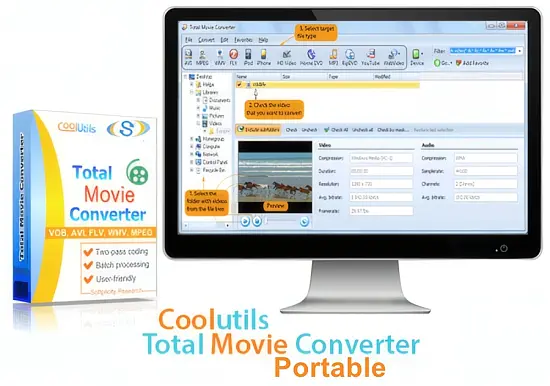
Video files appear in countless containers, codecs, and resolutions. Whether you are archiving home movies, preparing a presentation, or feeding a streaming service, the need to reshape that media into a compatible format is constant. CoolUtils Total Movie Converter 4.1.0.90 offers a single‑program solution that bridges the gap between raw footage and the device or platform that will finally display it.
The portable edition removes installation hurdles, letting you run the converter from a USB stick or a cloud‑synced folder. This flexibility makes it attractive for field technicians, small production crews, and anyone who prefers a lightweight toolkit without sacrificing professional‑grade features.
A purpose‑driven conversion engine
At its core, the program focuses on turning any video source into a playable output with minimal user interaction. The developers designed the workflow to hide the technical jargon of codecs while still exposing enough control for power users. The result is a balance where beginners can click through a wizard and experts can fine‑tune bitrate, frame rate, or audio channels.
Device‑specific presets that do the heavy lifting
One of the most time‑consuming steps in video conversion is matching the encoding parameters to a target gadget. Total Movie Converter ships with a library of pre‑configured profiles for popular hardware. Selecting a preset instantly adjusts resolution, container, and codec settings, eliminating trial‑and‑error.
- Apple iPhone / iPad – H.264 baseline with AAC audio
- Apple TV – MPEG‑4 with Dolby Digital
- Android tablets – VP8/VP9 options for low‑end devices
- PlayStation 4 and Xbox One – High‑definition MPEG‑2 profiles
- Legacy feature phones – 3GP with low bitrate
These profiles are stored as reusable templates, so you can rename or duplicate them for future projects. If a new device appears, the wizard lets you create a custom preset in seconds.
Batch processing that scales with your library
When you have dozens of clips to reformat, manual conversion quickly becomes a bottleneck. The portable version supports queuing entire folders, applying a single preset to every file, and running the job in the background. Multi‑threading distributes the workload across available CPU cores, keeping the conversion pipeline fluid even for 4K sources.
Because the interface can be switched to a “quiet” mode, the batch operation runs without pop‑ups, making it suitable for overnight processing on office PCs. Users have reported converting 150 GB of footage in under three hours on a mid‑range laptop.
Basic editing tools built into the workflow
Before committing to a final file, the suite lets you trim unwanted sections, crop black borders, rotate landscape clips, or stitch several videos together. These adjustments happen on the fly, so the output file is generated only once, preserving quality and saving disk space.
Audio can also be tweaked – you may increase volume, switch to a different channel layout, or extract the soundtrack entirely as MP3 or WAV. This feature is handy for creating podcasts from interview recordings or pulling background music from a tutorial.
Performance footprint and system compatibility
The conversion core is optimized for speed while keeping RAM usage modest. Tests on Windows 10 and Windows 11 show CPU utilization hovering around 60 % during a full‑HD encode, leaving enough headroom for other applications. The portable build runs on any Windows version from 7 onward, requiring no additional runtime libraries.
Error handling is proactive: corrupted frames trigger a warning rather than halting the entire queue, and the program logs detailed messages for later review. For users who prefer command‑line automation, the executable accepts switches that can be embedded in scripts or scheduled tasks.
Overall, CoolUtils Total Movie Converter 4.1.0.90 delivers a balanced mix of simplicity and depth, making it a viable alternative to tools like HandBrake or Format Factory when portability and preset‑driven workflows are priorities.